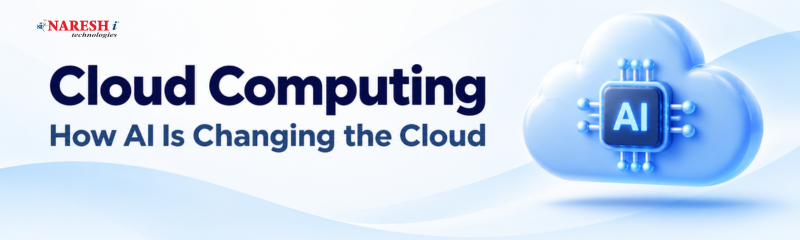
Imagine you are developing a web application that suddenly attracts thousands of users. Your existing server struggles to handle the traffic, pages load slowly, and you need additional computing resources. Traditionally, expanding infrastructure could involve purchasing servers, configuring hardware, and managing maintenance. Cloud computing offers a different approach: you can access computing resources over the internet and scale them according to your application's needs.
Now, consider adding artificial intelligence (AI) to that environment. Instead of manually monitoring every server, an intelligent system can analyze performance, identify unusual activity, predict resource requirements, and recommend adjustments. This combination is changing how developers build, deploy, and manage applications.
Understanding what cloud computing is and how AI is changing it can help students, developers, and IT professionals prepare for practical projects involving modern infrastructure.
Cloud computing is the delivery of computing services, such as servers, storage, databases, networking, software, and processing power, over the internet. Instead of purchasing and maintaining physical infrastructure, businesses and individuals can rent these resources from cloud providers and pay according to their usage or chosen pricing model.
For example, a student developing a Python application can deploy it on a cloud server without purchasing a physical machine. As the application grows, the student can increase its computing resources without replacing hardware.
Popular cloud platforms include Amazon Web Services (AWS), Microsoft Azure and Google Cloud. These platforms provide infrastructure and managed services for applications, databases, analytics, machine learning, and more.
| Service model | What it provides | Practical example |
|---|---|---|
| Infrastructure as a Service (IaaS) | Virtual machines, storage, and networking | Hosting a web application on a virtual server |
| Platform as a Service (PaaS) | A managed environment for developing and deploying applications | Deploying a Python application without managing the underlying operating system |
| Software as a Service (SaaS) | Ready-to-use applications delivered over the internet | Using Gmail or Microsoft 365 |
Cloud services can also be deployed through public, private, and hybrid cloud environments. A public cloud uses infrastructure provided by a cloud vendor, a private cloud is dedicated to an organization, and a hybrid cloud combines cloud environments with other infrastructure.
Cloud computing relies on data centers containing physical servers, networking equipment, storage systems, and virtualization technologies. Cloud providers operate this infrastructure and make computing resources available to customers through online interfaces, management consoles, and application programming interfaces (APIs).
When a developer launches a virtual machine, the cloud platform allocates resources from its underlying infrastructure. The developer can install software, configure the environment, and run applications without physically handling the server.
Illustration of how users connect to cloud infrastructure and computing resources.
Consider an online learning platform with video lessons, student accounts, and course registration. Its cloud infrastructure might include:
When more students access the platform during a live class, the infrastructure can scale to accommodate increased demand, depending on its configuration. This reduces the need to maintain enough physical hardware for the busiest periods throughout the year.
Cloud computing provides the infrastructure to store data and run applications. AI adds the ability to analyze information, recognize patterns, make predictions, and automate certain decisions. Together, these technologies are changing how IT teams manage infrastructure and how developers build applications.
Here are six practical ways AI is being used in cloud computing.
1. Automated cloud resource management
Cloud applications do not always need the same amount of computing power. An e-commerce website may experience increased traffic during a sale, while a learning platform may see more activity during evening classes.
AI-based systems can analyze historical usage, monitor current demand, and help predict future resource requirements. Cloud autoscaling can then adjust computing capacity according to configured rules and metrics. Some advanced systems can also recommend resource changes to improve utilization.
For example, a developer managing an online examination platform could use monitoring and predictive tools to prepare for scheduled examinations, reducing the risk of insufficient server capacity.
2. Intelligent monitoring and issue detection
Traditional infrastructure monitoring relies heavily on predefined thresholds and alerts. AI-assisted monitoring can examine large volumes of logs, performance metrics, and system events to identify unusual patterns.
This approach is often associated with AIOps, which means applying artificial intelligence to IT operations.
Suppose a web application normally responds within a certain time but suddenly experiences slow database queries and increased error rates. An AI-assisted monitoring system may correlate these events, identify a possible connection, and alert the engineering team.
It can help engineers investigate problems faster, although critical findings still need verification.
3. AI-powered cloud security
Cloud environments generate large amounts of security-related information, including login records, network activity, and application events. AI and machine learning can analyze these records to identify suspicious behavior.
For example, if an employee account suddenly attempts to access resources from an unusual location or makes repeated unexpected requests, a security system may flag the activity for investigation.
AI-assisted security tools can support:
● Unusual login and access detection.
● Identification of suspicious network traffic.
● Analysis of security logs and alerts.
● Detection of potential account misuse.
● Prioritization of security incidents.
AI does not replace access controls, encryption, security policies, or human investigation. Its role is to help security teams process information and identify potential threats.
4. Faster application development
Cloud platforms provide managed AI services, application hosting, databases, and development environments. Developers can integrate AI capabilities into applications without building every underlying component themselves.
For instance, a student developing a customer support application could use a cloud-hosted language model to classify customer questions, generate draft responses, or retrieve information from an approved knowledge base.
The application could store user queries in a cloud database, send relevant information to an AI service, and display the generated response through its interface.
Developers still need to validate outputs, protect user information, and control how AI services access application data.
5. Predictive maintenance and performance optimization
AI can help identify patterns that indicate a possible infrastructure problem before it becomes a major incident.
A cloud-based application might collect CPU usage, memory consumption, disk activity, and application response times. Machine learning models can analyze historical data and identify unusual changes that warrant attention.
For example, a sudden increase in memory usage over several days might indicate a memory leak in an application. An AI-assisted system could flag the pattern, allowing developers to investigate before the application becomes unstable.
6. AI-assisted data analysis
Cloud platforms can process large datasets using managed databases, data warehouses, and machine learning services. AI can help teams identify trends, forecast demand, and extract useful information from stored data.
A retail application, for example, could analyze historical sales records, seasonal patterns, and customer activity to forecast product demand. The results can help inventory teams plan stock levels, subject to data quality and model accuracy.
These applications demonstrate how AI is transforming cloud computing from a platform primarily used to host applications into an environment that can also support intelligent analysis and automation.
The benefits of AI in cloud computing depend on the application, the quality of available data, and how well the system is configured. For development teams and businesses, some practical advantages include:
| S.No | Benefit | How it helps |
|---|---|---|
| 1. | Resource Optimization | Matches resources to demand. |
| 2. | Faster Issue Detection | Flags unusual system behavior. |
| 3. | Security Visibility | Highlights suspicious activity. |
| 4. | Efficient Development | Simplifies AI integration. |
| 5. | Data-Driven Decisions | Supports forecasts and recommendations. |
| 6. | Operational Automation | Automates routine tasks with controls. |
However, these benefits are not automatic. AI services introduce additional costs, require suitable data, and may produce incorrect predictions. Organizations must evaluate their actual requirements before adopting them.
Consider a practical project: developing an online learning platform for students enrolled in programming and data analytics courses.
The platform needs to handle student registrations, course materials, assessments, and support requests. A cloud-based architecture could provide the infrastructure, while AI services handle selected intelligent features.
The project could work as follows:
For example, if several students repeatedly ask questions about SQL joins, the platform could identify that topic as an area requiring additional learning resources. An instructor could review the information and decide whether to arrange a revision session.
The AI system should not independently make consequential decisions about a student's academic progress. Its recommendations should be reviewed by instructors, and student data should be handled according to appropriate privacy and security requirements.
This type of project gives learners practical experience with cloud hosting, databases, APIs, AI integration, monitoring, and application security.
Students and working professionals interested in AI-powered cloud computing should first understand how applications and infrastructure work. Learning several cloud platforms simultaneously is not necessary. Start with one platform and build practical experience.
| Skill | Why it matters | Practice |
|---|---|---|
| Networking | Understand app communication | Configure network access |
| Linux | Manage and troubleshoot servers | Deploy an app on Linux |
| Python | Build APIs and automation | Create a simple API |
| Cloud | Host apps and AI services | Deploy a cloud app |
| SQL | Store and manage data | Build a registration database |
| Machine Learning | Understand predictions and evaluation | Train a classification model |
| APIs & Security | Connect services securely | Integrate an API securely |
| Monitoring & Deployment | Keep apps running reliably | Set up logs and alerts |
A useful beginner project is to deploy a Python-based question-answering application on a cloud platform. Start with a basic web interface and database, then integrate an AI service using a secured API. Add logging, usage limits, and monitoring before making the application publicly accessible.
Avoid uploading confidential information or API keys to public repositories. Also, monitor usage and costs, particularly when experimenting with paid AI services.
Cloud computing and AI are relevant to several IT career paths. The skills required depend on whether you want to develop applications, manage infrastructure, work with data, or build machine learning systems.
| Career Path | Main Responsibility | Key Skills |
|---|---|---|
| Cloud Engineer | Manage cloud infrastructure | Cloud, Linux, networking |
| Cloud Developer | Build cloud applications | Python/Java, APIs, databases |
| Cloud DevOps Engineer | Automate deployments | CI/CD, Docker, Kubernetes |
| AI/ML Engineer | Build and deploy ML models | Python, ML, data processing |
| Cloud Security Engineer | Secure cloud systems and data | IAM, encryption, monitoring |
These roles have different technical requirements, and learning cloud computing alone does not automatically qualify someone for an AI engineering position.
For beginners, a practical learning sequence is:
Cloud computing provides the infrastructure for modern applications, while AI adds capabilities such as intelligent analysis, prediction, and automation. Their combination is particularly useful in application development, infrastructure management, security monitoring, and data analysis.
For students and IT professionals, the most practical starting point is to learn one cloud platform, deploy a working application, and gradually introduce AI features. Understanding how these technologies work together will help you build relevant technical skills and develop projects that demonstrate your abilities.
Which cloud computing task would you automate with AI first: infrastructure monitoring, security detection, or resource management?
Follow NareshIT for more practical insights on technology, skills, and career development.
Frequently Asked Questions
1. What is cloud computing in simple terms?
Cloud computing means using computing resources such as servers, databases, storage, and software over the internet instead of managing all the physical hardware yourself. You can access these resources when needed and pay according to the service and pricing model.
2. How is AI used in cloud computing?
AI is used to analyze infrastructure data, identify unusual activity, forecast resource requirements, support security monitoring, automate selected operational tasks, and build intelligent applications. Cloud platforms also offer managed AI services that developers can integrate into their applications.
3. What is the difference between cloud computing and AI?
Cloud computing provides infrastructure and services for storing data, running applications, and processing information. AI refers to technologies that enable computers to perform tasks such as recognizing patterns, making predictions, and generating content. Cloud infrastructure can host and operate AI systems, while AI can help manage cloud environments.
4. Can beginners learn AI and cloud computing together?
Yes, but learning the fundamentals first makes the process easier. Beginners can start with Python, networking, databases, and basic cloud services before exploring machine learning and cloud-based AI tools. Building a small application that combines these technologies is a useful way to practice.
5. Which cloud platform should beginners learn?
AWS, Microsoft Azure, and Google Cloud are all suitable starting points. Choose one based on your learning objectives, available resources, and the technologies you want to work with. Learn common concepts such as virtual machines, storage, networking, databases, identity management, and deployment, as these skills can transfer between platforms.
 +91 8179191999

 +91
8179191999
+91
8179191999








.jpg)
_at_Naresh_IT.png)



.png)