.png)
Next Batch : Invalid Date
A developer on a mid-sized team merged a pull request on Thursday afternoon. The feature worked. The AI assistant had drafted most of it, and the code looked clean. By Friday morning, three end-to-end tests were red, and nobody could say whether the tests were wrong, the feature was wrong, or the assistant had quietly changed a behavior nobody asked it to touch.
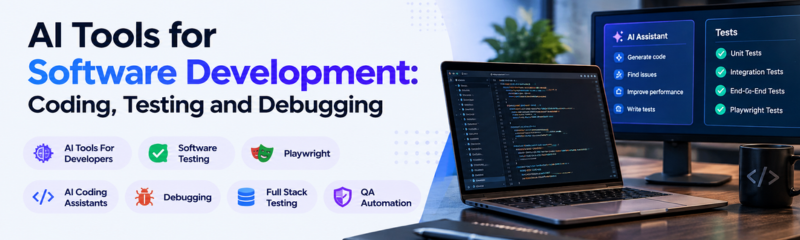
That scene is becoming ordinary. AI Tools for Developers now touch nearly every stage of the cycle: writing code, reviewing it, testing it, and hunting down what broke. The tools themselves are less of a problem than the habit of treating them as one thing. An assistant that's excellent at drafting a function can be mediocre at diagnosing a flaky test, and the reverse is just as true.
This piece walks through where each category of tool earns its place, where it tends to fail, and what a developer or tester should actually learn to use them well.
Think of the cycle as four loops: write, review, test, debug. AI helps in all four, but differently in each. Writing benefits from speed. Review benefits from a fresh set of eyes that never gets tired. Testing benefits from tedious-work automation. Debugging benefits from pattern recognition across an error and its surrounding code.
What stays constant is the human's role: deciding what "correct" means. A tool can generate a function, a test, or a fix, but it can't know that your checkout flow must never double-charge unless someone tells it. Every category below works best when you hand it that kind of context up front.
AI coding assistants, tools such as GitHub Copilot, Cursor, and Claude Code, sit inside your editor or terminal and draft code from a description or from the surrounding file. They're strongest on well-trodden ground: boilerplate, CRUD endpoints, data transformations, regex you'd otherwise look up.
The catch is that generated code looks confident whether or not it's right. A function can pass a quick glance, run without errors, and still mishandle an empty list or ignore your project's error-handling convention. The fix isn't distrust, it's a review habit: read generated code the way you'd read a colleague's first draft, with attention on the edges rather than the happy path.
Specific instructions matter more than clever ones. Naming the file whose conventions to follow, the exception type to raise, and the case that must not break turns a generic draft into something that fits your codebase.
AI tools for code review, whether built into a repository platform or run as a separate service, read a pull request and comment on likely bugs, missing error handling, and risky patterns. Their real value is consistency. A human reviewer at 5 p.m. on a Friday skims; an automated reviewer reads every line the same way every time.
They're weakest on intent. A tool can flag that a function swallows an exception, but it can't know that your team deliberately does that in one legacy module. Treat its comments as a first pass that clears the mechanical issues, freeing human reviewers to spend attention on design and business logic instead of missing null checks.
A useful rule: let the tool review first, then let a person review what's left. That ordering keeps the human conversation focused on questions only a human can answer.
AI tools for debugging work best when you give them a timeline instead of just an error. Pasting a stack trace gets you a plausible guess. Adding "this started after we added retry logic on Tuesday, and it only fails under concurrent requests" gets you a hypothesis you can actually test.
Consider a function that intermittently returns duplicate records:
python
def sync_customer(external_id, data):
existing = db.query(Customer).filter_by(external_id=external_id).first()
if existing:
existing.update(**data)
else:
db.add(Customer(external_id=external_id, **data)) # race window here
db.commit()
Describe the symptom, mention that two workers run this job, and an assistant will typically spot the check-then-insert race. The fix moves uniqueness enforcement into the database with an upsert, rather than trusting two Python statements to run uninterrupted. The tool didn't discover anything a senior engineer wouldn't, it just got to the hypothesis faster because you supplied the one fact that mattered.
AI Tools for Software Testing cover several jobs: drafting unit tests from existing functions, suggesting edge cases you didn't think of, generating test data, and maintaining brittle end-to-end tests when the interface changes. The last one is where teams feel the most pain, since a large UI test suite can spend more effort being repaired than catching bugs.
Drafted tests need the same skepticism as drafted code. A generated test that asserts whatever the current code happens to return will pass forever, even if the current behavior is wrong. Ask instead for tests derived from the requirement, and check that at least one of them would actually fail if you broke the feature.
Playwright is where AI-assisted testing has become concrete. Starting with version 1.56, Playwright includes three built-in agents that plan test scenarios, generate executable test code, and repair broken tests by working against a real browser session.
Each agent has a narrow job. The planner explores the app and produces a Markdown test plan, the generator turns that plan into test files, and the healer runs the suite and repairs failures. That last agent is more careful than "just make it green": it patches a test when the interface changed, and if the functionality itself appears broken, it can mark the test with test.fixme() instead of forcing it to pass. That behavior matters, because a healer that hid real bugs would be worse than no healer.
The agents are set up through an init command, and the generated definitions should be regenerated whenever Playwright updates. They were introduced for the JavaScript and TypeScript test runner, so if your team writes Playwright in Python, check the current state of support before planning around them.
Two habits keep this useful. Read every generated test before committing it, since the output is ordinary test code you're expected to review and edit. And keep a human-written smoke test for your most critical flow, so a self-healing suite never becomes the only evidence that checkout works.

Here's the kind of test a generator agent produces, and the kind a tester should be able to read critically:
typescript
import { test, expect } from '@playwright/test';
test('user can log in with valid credentials', async ({ page }) => {
await page.goto('/login');
await page.getByLabel('Email').fill('[email protected]');
await page.getByLabel('Password').fill('correct-password');
await page.getByRole('button', { name: 'Sign in' }).click();
await expect(page).toHaveURL('/dashboard');
await expect(page.getByRole('heading', { name: 'Welcome back' })).toBeVisible();
});
Reading it critically means asking what's missing. There's no test for a wrong password, none for an empty email field, and none for what happens after five failed attempts. A generator drafts the happy path readily; the tester's job is to notice which unhappy paths matter for this product and ask for them explicitly. Full Stack Software Testing is largely this skill: knowing what a passing test does and doesn't prove.
|
S.No |
Category |
Strongest At |
Weakest At |
Human Still Owns |
|
1 |
Coding assistants |
Boilerplate, familiar patterns, drafting |
Project-specific conventions, edge cases |
Deciding what "correct" means |
|
2 |
Code review tools |
Consistent, tireless first-pass checks |
Understanding team intent and history |
Design and business-logic judgment |
|
3 |
Debugging assistants |
Spotting patterns given good context |
Diagnosing from a bare error message |
Supplying the timeline and testing the hypothesis |
|
4 |
Testing tools |
Drafting tests, maintaining brittle UI suites |
Knowing which scenarios matter to the business |
Choosing critical flows and unhappy paths |
Ask a developer where a typical week goes, and the split rarely matches what tool demos emphasize. An illustrative sample:
A bar chart suits this better than a pie chart, since the point is comparing activities against each other rather than showing shares of a fixed total. The sample numbers are illustrative, not measured data, but the shape is familiar: writing code is the biggest single block, yet testing, review, and debugging together take more time than most people expect. That's why tool adoption that only targets code generation captures a fraction of the possible benefit.
The first is accepting output because it looks polished. Generated code, tests, and review comments all arrive well-formatted and confident. Formatting quality says nothing about correctness.
The second is letting a self-healing test suite hide real regressions. If a repair tool keeps turning red tests green, someone still needs to confirm that each repair reflects a legitimate interface change rather than a masked bug.
The third is using one tool for everything. A coding assistant, a review tool, and a testing agent are different instruments. Expecting a single chat window to handle all four loops equally well usually leads to disappointment in exactly the loop where it's weakest.
The tools change quickly, but the skills that make them useful are stable. For developers: reading code critically, writing precise instructions, and understanding your own system well enough to supply context. For testers: designing tests from requirements, recognizing unhappy paths, and knowing what a test actually proves. Both benefit from Playwright fluency, basic CI/CD familiarity, and enough Python or TypeScript to review and edit what an agent produces.
A structured Full Stack Software Testing program that pairs manual test design with automation, and now with AI-assisted workflows, teaches the judgment layer that tools can't supply. Learning to use an AI tool without that judgment produces fast, confident, unreviewed output, which is precisely the risk described in the opening scene.
They shift the work rather than remove it. Mechanical checks and repetitive maintenance get automated, while deciding what matters, which scenarios are risky, and whether behavior matches the business need stays with people.
Pick one that fits your editor and learn to instruct it well, since prompt quality matters more than the specific tool. Compare current features and pricing directly with each vendor before deciding, because these products change often.
They can draft a lot, and Playwright's agents can plan, generate, and repair tests. But a suite is only as good as the scenarios it covers, and choosing which flows and failure cases matter still needs a human who understands the product.
Yes, as a learning aid, provided you still learn Playwright fundamentals first. If you can't read the generated locators and assertions, you can't tell whether a test is meaningful or merely passing.
Review it like a colleague's first draft, give specific constraints in your request, and back it with tests derived from requirements. Check that at least one test would fail if the feature were broken.

AI tools for developers work best when each is matched to the loop it's suited for: assistants for drafting, review tools for consistent first passes, debugging help for hypotheses, and testing agents for the tedious maintenance nobody enjoys. What none of them replaces is the person who decides what correct means.
If you're building toward a testing or development career, the practical next step is small. Take one flow in a project you know well, let an assistant draft its tests, and spend your time on the part it can't do: listing the failure cases that would actually hurt a user.
Which loop in your own workflow, writing, reviewing, testing, or debugging, would benefit most from a tool right now, and which one do you trust it with the least?
Follow NareshIT for more practical insights on technology, skills, and career development.
 +91 8179191999

 +91
8179191999
+91
8179191999


.png)



.png)