An engineer at a logistics company once told me the fastest fix she ever got from Claude took ninety seconds, and the slowest took two days, both technically "AI-assisted" work, both on the same codebase, in the same week. The ninety-second one was a routing function she described precisely, existing helper functions and all. The two-day slog was a data corruption issue where she kept pasting error logs and hoping for a diagnosis, without ever explaining what the system was supposed to be doing in the first place.
That gap says something worth paying attention to. Building a feature, deciding how a system should be shaped, and hunting down a bug are three separate kinds of problems, and each one rewards a different way of talking to an AI assistant. Treat all three the same way, and you'll get lucky sometimes and stuck other times, with no clear reason why.
This piece breaks apart those three modes and shows what separates a request that lands from one that wastes an afternoon.
Ask for code without describing your system, and you'll get code that could belong to anyone's system. That's the core issue with vague coding requests, not that the output is broken, but that it's generic in ways that don't surface until it collides with your actual conventions.
Take a request like "write a function to merge two customer records." On its own, that's underspecified: which fields win in a conflict, what happens to related orders, does this need to be reversible? A version like "write a function to merge duplicate customer records in models/customer.py, keep the record with the more recent last_active_at, reassign all Order rows from the discarded record, and log the merge to our AuditLog table the way merge_accounts() already does" leaves nothing open to interpretation. The resulting code is usable immediately rather than needing three rounds of "actually, also handle this."

Design questions don't have a single right answer waiting to be discovered, they have a best-fit answer given specific constraints, so it helps to state those constraints before asking anything.
"How should I structure background job processing" is really a question with a dozen different correct answers depending on scale, budget, and team size. "We're processing about 5,000 async jobs a day, mostly email sends and report generation, currently just using cron and a Python script, and we're a two-person team with no budget for managed infrastructure. What are two or three realistic options, and what's the operational cost of each?" turns a vague question into an actual decision, comparing something like a lightweight task queue such as RQ against a heavier managed option, weighed against a small team's real bandwidth rather than assuming enterprise resources that don't exist.
The biggest gap between a fast fix and a wasted afternoon shows up in debugging. Handing over a raw error and asking "what's wrong" works for small, isolated failures and falls apart the moment timing, retries, or shared state are involved.
What actually helps is reconstructing a timeline before asking: what you observed, what should have happened instead, what you've already ruled out, and what changed recently. Saying "this started right after we added a retry on failed webhook deliveries" hands the model a specific thread to pull. A bare stack trace with no history attached hands it nothing to work from except a guess.
Picture a nightly sync job that pulls customer updates from a third-party CRM and occasionally creates duplicate local records for the same customer, even though there's a unique constraint on the CRM's external ID. A prompt like "why do I have duplicate customers" invites a generic list of causes that may or may not apply.
Framing it with detail changes the outcome: "Our sync job runs every night and occasionally creates two local rows for the same CRM contact. We do check for an existing record by external_id before inserting. It got worse after we started running the sync job on two workers for speed." That detail alone points at the likely cause, a check-then-insert race between two workers running the same logic at once:
python
def sync_customer(external_id: str, data: dict) -> None:
    existing = db.query(Customer).filter_by(external_id=external_id).first()
    if existing:
        existing.update(**data)
    else:
        # a second worker can reach this point before the first commit lands
        db.add(Customer(external_id=external_id, **data))
    db.commit()
The fix relies on the database's own uniqueness guarantee instead of a Python-level check that two workers can both pass at once:
python
from sqlalchemy.dialects.postgresql import insert

def sync_customer(external_id: str, data: dict) -> None:
    stmt = insert(Customer).values(external_id=external_id, **data)
    stmt = stmt.on_conflict_do_update(
        index_elements=["external_id"],
        set_=data,
    )
    db.execute(stmt)
    db.commit()
The upsert makes the operation atomic at the database level, so two workers hitting the same external_id at nearly the same moment can no longer both create a fresh row. That fix only became obvious once the two-worker detail was on the table, without it, the conversation would have stayed stuck on generic sync-job troubleshooting.
Ask a backend engineer to estimate a typical week across these three categories, and coding usually wins, but debugging tends to take a bigger bite than people expect going in:

A pie chart could represent this same split reasonably well, since the three numbers add up to a fixed total. The bar layout above just makes it a touch easier to see that debugging alone can rival architecture and edge close to coding, which is easy to overlook if you only think of AI help as something for writing new functions.
|
S.No |
Mode |
Information you bring |
The actual ask |
What you check afterward |
|
1 |
Coding |
Field names, edge cases, existing helper functions |
One clearly scoped implementation |
Whether it fits your conventions, not just whether it runs |
|
2 |
Architecture |
Real scale, team size, current tooling, budget |
A comparison of realistic options |
Whether the tradeoffs match your actual limits |
|
3 |
Debugging |
A timeline: symptom, expectation, recent changes |
A specific, testable hypothesis |
Whether the proposed cause truly explains what you saw |
In coding requests, the common failure is leaving out project-specific details and then being surprised the result doesn't fit. In architecture discussions, it's asking for a single "correct" design instead of a set of options weighed against real numbers. In debugging, it's supplying an error with no surrounding timeline and expecting a diagnosis anyway.
One mistake spans all three: accepting a confident, well-formatted answer without checking it. The upsert fix above still needs to be tested against your actual database constraints and load before it ships. Clean formatting isn't the same thing as a verified fix.

Solid grounding in your primary language and basic system design vocabulary comes first, since that's what lets you describe any of these three situations precisely instead of vaguely. From there, practice each mode deliberately: name specifics for coding requests, name constraints for design questions, build a timeline before asking about a bug. A Generative AI and agentic AI training program built around real, hands-on Python work, rather than slide-deck prompt examples, is where this turns into a repeatable habit rather than something relearned every time.
Coding tasks fail quietly when context is missing, the code still runs, it's just wrong for your system. Debugging tasks fail loudly when context is missing, you just get stuck. Both need it, but the cost of skipping it shows up differently.
If the answer feels like it could apply to almost any company, you've likely left out something specific: your scale, your current tools, or your team's real capacity. A tailored answer references your actual numbers, not general best practices.
Usually more. An error tells you where something failed, not why, especially with concurrency or timing issues. Pairing it with what changed recently and what you've ruled out narrows the search dramatically faster than the error alone.
The same habits matter even more. An agent that edits files or runs commands based on a vague instruction can make unreviewed changes across a codebase, so precise scoping and stated constraints become more important once the tool can act, not less.
Pick a bug or design decision you already understand well, and write out the context, numbers, and history before asking for help, the way you'd brief a teammate. Then compare that against a one-line version of the same ask to see how much the framing changes the result.
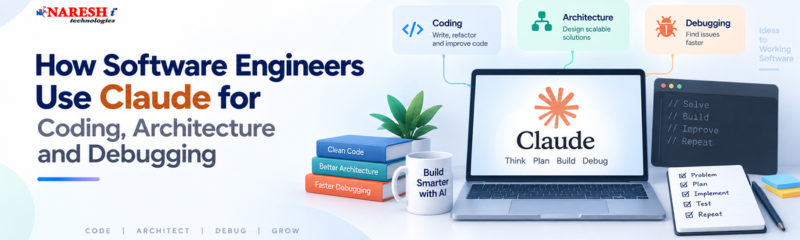
Coding, architecture, and debugging each need a different kind of input, and getting reliable value from Claude comes down to knowing which one you're in before you type anything. Coding needs specifics. Architecture needs real constraints. Debugging needs a timeline, not just an error.
If you're working toward a role involving Generative AI or Agentic AI tooling, this is a habit worth building now: before asking for help with any of the three, spend one extra sentence stating what the model has no way of already knowing.
Of these three, coding, architecture, or debugging, which one do you currently give the least detail when you ask for help?

Follow NareshIT for more practical insights on technology, skills, and career development.
 +91 8179191999

 +91
8179191999
+91
8179191999