
Next Batch : Invalid Date
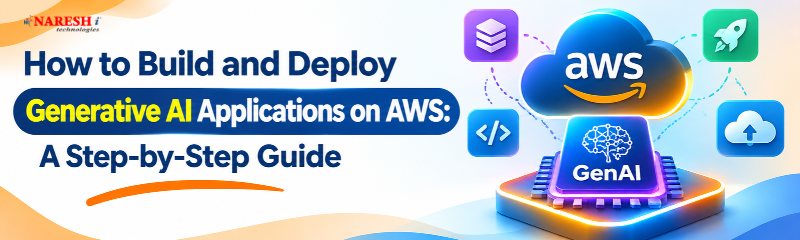
How to Build and Deploy Generative AI Applications on AWS: A Step-by-Step Guide
Building an AI application no longer requires developing a large language model from scratch. Cloud platforms now provide tools for creating chatbots, document summarizers, intelligent assistants, and automated applications.
Amazon Web Services (AWS) offers managed services that simplify AI model integration, backend development, and deployment. However, beginners often struggle to understand how these services work together.
This article provides a step-by-step overview of creating and deploying Generative AI solutions on AWS with Python, Amazon Bedrock, AWS Lambda, and API Gateway.
Table of Contents
What Are Generative AI Applications on AWS?
Essential AWS Services
Step-by-Step Development Process
Application Architecture
Best Practices
Career Opportunities
Frequently Asked Questions
What Are Generative AI Applications on AWS?
Generative AI applications use artificial intelligence models to generate text, summarize documents, answer questions, or assist with programming tasks.
AWS provides developers with ready-to-use foundation models through its managed services, eliminating the need to build and train complex AI models from scratch.
For example, an educational website can integrate an AI assistant that explains programming concepts and responds to student questions.
The system forwards the user's request to a foundation model using Amazon Bedrock and presents the AI-generated output on the application interface.
This approach makes AI Application Development on AWS accessible to developers familiar with Python and basic cloud concepts.
Essential AWS Services for Generative AI
Understanding the following services helps beginners create a functional application.
|
AWS Service |
Purpose |
|
Amazon Bedrock |
Access foundation models |
|
AWS Lambda |
Execute backend functions |
|
API Gateway |
Connect frontend and backend |
|
Amazon S3 |
Store files and assets |
|
AWS IAM |
Manage permissions |
These services can be combined based on application requirements.
Step 1: Configure Your AWS Account
Create an AWS account and access the AWS Management Console.
Select a Region supporting your required services and foundation model.
Configure IAM permissions following the principle of least privilege. Avoid placing access keys directly in application code.
Set up AWS Budgets before experimenting because model inference and cloud resources may incur charges.
Step 2: Explore Amazon Bedrock
Amazon Bedrock is a managed AWS service providing access to foundation models through APIs.
Developers can use supported models for conversational applications, summarization, and content generation.
An Amazon Bedrock Tutorial usually begins by choosing a model and testing a simple prompt.
Model access requirements and availability vary across AWS Regions.
Select a model based on application functionality, cost, and expected performance.
Step 3: Prepare Your Python Environment
Python is widely used for AI development because it supports automation, APIs, and data processing.
Install Python and create a project directory.
Next, install Boto3, the AWS SDK for Python.
pip install boto3
Configure AWS authentication using temporary credentials, an IAM role, or another approved method.
Boto3 enables Python applications to interact with Amazon Bedrock and other AWS services.
Step 4: Connect Python with Amazon Bedrock
Create a Python file named app.py.
Use the following example to send a prompt through the Bedrock Converse API.
import boto3

client = boto3.client(
    "bedrock-runtime",
    region_name="us-east-1"
)

response = client.converse(
    modelId="amazon.nova-micro-v1:0",
    messages=[{
        "role": "user",
        "content": [
            {"text": "Explain Generative AI"}
        ]
    }],
    inferenceConfig={"maxTokens": 200}
)

print(
    response["output"]["message"]
    ["content"][0]["text"]
)
The example requires appropriate permissions and model availability.
The application sends a question to Amazon Bedrock and displays the generated response.
Developers can extend this basic functionality into educational chatbots or document summarization tools.
Step 5: Create the Backend Using AWS Lambda
AWS Lambda allows developers to execute backend code without managing servers.
Create a Lambda function that accepts user input and sends it to Amazon Bedrock.
The function receives the model response and returns it to the application.
Configure execution permissions, error handling, and timeouts carefully.
Step 6: Connect Amazon API Gateway
API Gateway creates an endpoint connecting the frontend application with AWS Lambda.
When a user submits a question, API Gateway forwards the request to Lambda.
Lambda invokes Amazon Bedrock and returns the generated answer.
The frontend then displays the response.
Step 7: Deploy and Test Your Application
Deploy the frontend using AWS Amplify Hosting or another suitable hosting service.
Connect it to the API Gateway endpoint and test different user requests.
Check response accuracy, authentication, error handling, and application performance.
Use Amazon CloudWatch to monitor logs and troubleshoot problems.
AWS Generative AI Application Architecture
User → Frontend → API Gateway → AWS Lambda → Amazon Bedrock → AI Response
This architecture demonstrates how AWS services work together to deliver an AI-powered application.
Best Practices for AWS AI Development
Before launching an application:
Apply least-privilege IAM permissions.
Validate user inputs and AI outputs.
Protect confidential information.
Monitor API usage and cloud costs.
Test error handling and performance.
These practices support secure and reliable deployment.
Career Opportunities in AWS Generative AI
Learning AWS AI services can support careers in cloud development, AI engineering, and Python application development.
AWS Generative AI Training helps learners understand cloud infrastructure, foundation models, and deployment workflows.
A Generative AI Course introduces language models and practical AI applications.
Students exploring Generative AI and Agentic AI with Python can also learn agent workflows, tool integration, and AI automation.
Frequently Asked Questions
1. What is Amazon Bedrock?
Amazon Bedrock is a managed AWS service that provides access to foundation models for generative AI development.
2. Can beginners build AI applications on AWS?
Yes. Beginners can start with Python, Amazon Bedrock, and basic API integration.
3. Is Python required for AWS Generative AI?
No. AWS supports multiple programming languages, although Python is commonly used.
4. Is AWS Lambda necessary for deployment?
No. Developers can also use containers or other AWS compute services.
5. What skills are needed for AWS Generative AI development?
Important skills include Python, AWS fundamentals, APIs, IAM, Amazon Bedrock, and deployment.
Conclusion
Building generative AI applications requires practical knowledge of model integration, backend development, and cloud deployment.
AWS simplifies these activities through managed services such as Amazon Bedrock, Lambda, and API Gateway.
By practicing these technologies, beginners can build functional AI applications and strengthen their technical portfolios.
 +91 8179191999

 +91
8179191999