.png)
Next Batch : Invalid Date
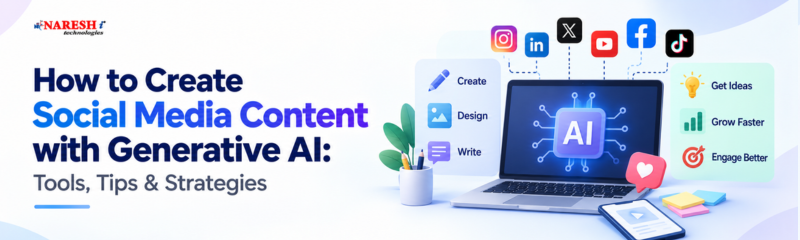
Creating social media content has become faster, more flexible, and more experimental with the arrival of Generative AI.
A marketer who once spent a large part of the day brainstorming topics, writing captions, preparing scripts, rewriting headlines, and adapting posts for different platforms can now complete many of those tasks with AI assistance.
That does not mean creativity has become automatic.
Generative AI can produce words, images, ideas, and variations quickly, but successful social media content still depends on understanding people. The creator needs to know what the audience is interested in, what problems they are facing, what language feels natural to them, and why they should care about a particular post.
The most effective approach is therefore not to hand the entire content process over to AI.
It is to combine human understanding with AI-powered speed.
When used this way, Generative AI becomes a valuable creative partner rather than a replacement for the person behind the content.
Traditional content creation usually begins with an idea and moves through several manual stages: research, drafting, editing, designing, publishing, and repurposing.
Generative AI can support almost every stage.
A content creator can use AI to brainstorm ten possible angles for a topic, create different headline options, simplify a complicated explanation, prepare a video script, turn a blog into a social caption, or convert one long-form idea into several shorter formats.
This creates an important advantage: more time for strategy.
Instead of spending most of the day writing first drafts, marketers can spend more time studying audience behaviour, analysing performance, developing campaigns, and improving creative direction.
|
S.No |
Content Activity |
Generative AI Can Help With |
Human Contribution |
|
1 |
Topic Planning |
Suggesting themes and ideas |
Selecting topics that matter to the audience |
|
2 |
Caption Writing |
Creating draft versions |
Adding personality and context |
|
3 |
Headlines |
Producing multiple options |
Choosing the most relevant hook |
|
4 |
Research |
Summarising information |
Checking accuracy and reliability |
|
5 |
Repurposing |
Converting one format into another |
Adjusting tone for each platform |
|
6 |
Visual Ideas |
Suggesting concepts and layouts |
Maintaining brand identity |
|
7 |
Editing |
Improving clarity and reducing length |
Protecting meaning and authenticity |
This division of work is important.
AI is good at speed and variation.
Humans are better at deciding what deserves attention.
Many people use Generative AI with very simple prompts.
For example:
“Write a social media post about learning AI.”
The tool has no information about the company, audience, campaign goal, tone, or experience behind the post.
It therefore produces a safe and general response.
That is why different brands can sometimes publish posts that sound surprisingly similar.
The solution is not to stop using AI.
The solution is to provide better input.
Suppose a training institute wants to create content for engineering graduates who are confused about choosing between Java, Python, Data Science, and Cloud.
That information gives AI a much clearer direction than simply asking it to “write a career post.”
The more relevant context you provide, the easier it becomes to create content that actually fits your audience.

Instead of beginning with a blank prompt box, begin with your own knowledge.
Write down what you actually want the audience to understand.
It may come from:
This gives the post a real foundation.
Tell the tool who the audience is and what outcome you want.
For example:
“Create a LinkedIn post for final-year engineering students who are unsure which IT skill to learn first. Explain how they can choose based on career interest rather than following trends.”
That is much more useful than:
“Write a career post.”
Do not depend on the first result.
Ask for several angles.
You could request:
AI is particularly useful when you want choices quickly.
A generated draft should be treated as a working copy.
Replace unfamiliar language.
Remove unnecessary phrases.
Add examples.
Check whether the post sounds like something your organisation or personal brand would genuinely say.
Check facts, spelling, tone, links, numbers, and claims.
AI can generate convincing information even when the information is inaccurate.
Human review should therefore remain part of the publishing process.
Good prompting is not about making instructions unnecessarily long.
It is about giving useful details.
A strong content prompt generally answers five questions.
|
S.No |
Prompt Element |
Question to Answer |
|
1 |
Audience |
Who should read this content? |
|
2 |
Purpose |
What should they learn or do? |
|
3 |
Platform |
Where will the content be published? |
|
4 |
Tone |
How should the brand sound? |
|
5 |
Restrictions |
What should AI avoid? |
For example:
“Create a 120-word LinkedIn post for fresh graduates interested in Generative AI careers. Use simple English and a practical tone. Mention three beginner skills. Avoid exaggerated job guarantees, complex terminology, and motivational clichés.”
This gives the tool a clear boundary.
It also reduces the amount of editing required later.
Every platform has its own content behaviour.
AI should be used differently depending on where the content will appear.
LinkedIn audiences generally respond well to career insights, professional lessons, industry developments, and practical experiences.
AI can help organise ideas and improve readability.
However, the strongest posts usually contain some form of real observation or professional experience.
Instagram depends heavily on visual communication.
Generative AI can assist with:
AI-generated visuals can be useful, but authentic videos, testimonials, demonstrations, and real events still play an important role in building trust.
X requires short and focused communication.
AI can help reduce a long explanation into a concise post or turn a detailed article into a short thread.
The final version should still have a clear point of view.
Facebook can support educational posts, community discussions, event promotions, longer captions, and local audience communication.
AI can help adapt detailed information into a simpler, more conversational format.
Generative AI is extremely useful during pre-production.
It can create:
The creator should still adjust the script so it sounds natural when spoken aloud.
Generative AI mainly creates output based on a request.
Agentic AI can take the process further by connecting multiple tasks.
Imagine a content workflow that can:
research a topic,
identify important points,
prepare a draft,
compare it with brand guidelines,
create different platform versions,
and send the content to a team member for approval.
That is closer to an agentic workflow.
For marketing teams, this can reduce repetitive work significantly.
It can also help organisations create more consistent processes.
But automation does not remove the need for supervision.
The more tasks AI handles automatically, the more important it becomes to establish clear review and approval systems.

Generative AI provides several practical benefits.
One of the biggest is speed.
A creator can explore ten possible headlines in the time it once took to write two.
Another major benefit is repurposing.
A single webinar can potentially become:
AI also makes experimentation easier.
Instead of committing to one creative direction immediately, teams can compare multiple possibilities before finalising the content.
For smaller organisations, this can make consistent content production much more manageable.
Generative AI should not be treated as an unquestionable source.
Using Generative AI effectively requires more than learning one tool.
Professionals should develop skills such as:
These abilities remain useful even when individual AI tools change.
Students and professionals exploring a Generative AI course or Generative AI online training should therefore look for practical learning rather than only tool demonstrations.
Training becomes more valuable when learners understand how AI fits into real workflows.
Generative AI is becoming useful across many professional areas, including marketing, design, sales, customer support, communication, software development, analytics, and education.
Knowing how to generate text is only the beginning.
The more valuable question is:
For a marketer, that could mean building a faster content workflow.
For a designer, it could mean exploring visual concepts quickly.
For a trainer, it might involve creating learning materials more efficiently.
For a content writer, it could mean turning one research topic into multiple usable formats.
That is where Generative AI starts becoming a professional skill rather than simply an interesting tool.
Social media teams are likely to use more AI-assisted workflows in the coming years.
Research will become faster.
Content variations will become easier to produce.
AI assistants may help manage entire content pipelines.
Agentic systems may automate more routine marketing activities.
Yet the growing availability of AI also creates an interesting challenge.
When everyone can generate polished content quickly, polished content alone is no longer enough.
Original ideas become more important.
Real experience becomes more important.
Audience understanding becomes more important.
Brand personality becomes more important.
Generative AI can increase the speed of creation, but people still need to decide what is worth creating.
Generative AI helps create captions, images, videos, post ideas, scripts, and other social media content using AI tools.
Tools such as ChatGPT, Canva, Adobe Firefly, Gemini, and other AI content platforms can support content creation.
Yes. AI can help generate captions, hooks, hashtags, visuals, scripts, and content ideas for different platforms.
AI can save time, speed up content planning, generate more ideas, and help teams create content consistently.
Yes. Always review the content for accuracy, brand tone, relevance, grammar, and originality before publishing.
Yes. Generative AI can help small businesses create content faster even with limited time, budget, or resources.
Generative AI has opened new possibilities for social media creators and marketing teams.
It can reduce repetitive work, accelerate brainstorming, support writing, improve repurposing, and make experimentation easier.
But its real value appears when it works together with human creativity.
The strongest future for content creation is not about choosing between people and machines.
It is about combining the strengths of both.
Human insight gives content meaning. Generative AI helps bring that meaning to life faster.

Follow NareshIT for more practical insights on Generative AI, emerging technologies, career skills, and industry trends.
 +91 8179191999

 +91
8179191999
+91
8179191999






.png)









.png)