.png)
Next Batch : Invalid Date
A developer asks an AI assistant to generate a Python function for processing customer orders. The answer arrives almost instantly. The syntax looks correct, the function runs, and the overall structure seems reasonable.
Then the developer checks the code carefully.
The function ignores an existing validation rule. It assumes a field is always present when, in the real application, that field is optional. It also returns data in a format that does not match the rest of the backend.
This is a common problem when developers use Generative AI for coding. The AI can produce code quickly, but it cannot automatically understand every rule, constraint, or convention inside a project.
The quality of the result often depends on how clearly the task is described.
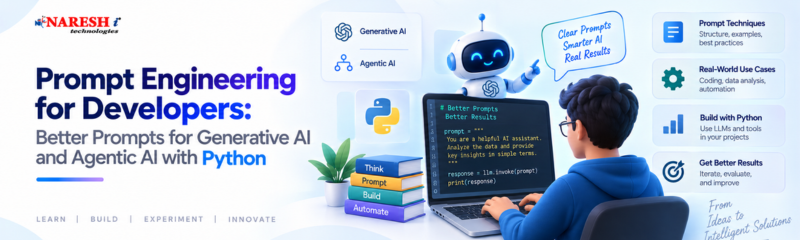
That is the practical value of prompt engineering for developers.
Prompt engineering is the process of giving an AI system enough information to understand a task correctly and respond in a useful way.
For developers, that usually means providing more than a short instruction.
Consider this prompt:
Create a Python API for user registration.
It sounds clear at first, but several technical details are still missing.
Which framework should be used?
How should passwords be stored?
What should happen when an email already exists?
Which fields should the API return?
Should database logic stay inside the route or be handled somewhere else?
An improved prompt could look like this:
Create a FastAPI registration endpoint using Python. Accept name, email, and password. Reject duplicate email addresses, validate the input using Pydantic, hash the password before storing it, and return only the user ID, name, and email. Keep database access outside the route function.
The second prompt gives the AI fewer opportunities to make assumptions. This is one of the simplest ways to understand how to write better AI prompts: provide the details that matter to the actual development task.
Diagram: How a Strong Developer Prompt Is Built
Development Need
↓
Clear Objective
↓
Project Context
↓
Technical Constraints
↓
Expected Output
↓
Success Conditions
↓
AI Response
↓
Developer Review
The last step is important. Prompt engineering can improve the output, but the developer still needs to verify it.

Developers sometimes expect AI tools to understand what they mean from a few words.
For example:
Optimize this function.
The instruction is too broad.
Optimization could mean:
Review this Python function for repeated database calls. Keep its parameters and return format unchanged. Explain the performance problem first, then show the revised version.
Now the AI knows what kind of improvement is required.
Another problem appears when too many tasks are combined into one prompt.
For example:
Build the API, improve security, generate tests, optimize performance, write documentation, and explain the architecture.
The model may attempt all of those tasks, but the output becomes harder to inspect.
A staged approach is usually easier.
Requirements
↓
API Design
↓
Implementation
↓
Security Check
↓
Testing
↓
Documentation
If something is wrong in the API design, it can be corrected before that mistake spreads into tests or documentation.
There is no single perfect format for every AI prompt.
Still, developers can use a practical structure that covers the most important information.
Avoid vague instructions.
Instead of:
Fix this query.
Try:
Find why this SQL query returns duplicate rows for the same customer and rewrite it without changing the columns in the final result.
The second version explains the actual problem.
Context tells the AI what environment it is working in.
For example:
This endpoint is written in FastAPI and uses PostgreSQL with SQLAlchemy. It is part of an internal reporting application.
That small amount of information can change the proposed solution significantly.
Constraints prevent the AI from making unnecessary changes.
Examples include:
These instructions are especially useful when working inside an existing application.
Instead of receiving a long mixed response, tell the AI how to organize the answer.
For example:
First explain the cause of the bug. Then provide the corrected code. Finally, suggest three test cases.
The result becomes easier to review.
For important tasks, describe what the correct result should achieve.
For example:
The function should return an empty list when no records are found, support an optional date filter, and avoid making more than one database query.
This gives the AI something concrete to work toward.
|
S.No |
Basic Prompt |
More Useful Developer Prompt |
|
1 |
Fix this code |
Identify the cause of the error and modify only the affected function |
|
2 |
Write tests |
Write pytest tests for valid input, invalid input, missing values, and expected exceptions |
|
3 |
Secure my API |
Review authentication, authorization, validation, and exposure of sensitive information |
|
4 |
Improve performance |
Find repeated network or database calls without changing the API response |
|
5 |
Explain this code |
Explain the execution flow to a Python Developer who is new to async programming |
Good prompt engineering examples for coding are based on real development problems.
Imagine a FastAPI endpoint that takes too long to respond.
A weak prompt might be:
Make this endpoint faster.
A better prompt would be:
Review this FastAPI endpoint. It makes three independent requests to fetch customer information, order status, and payment details. Check whether the requests can run concurrently. Keep the current JSON response unchanged.
If the requests are independent, Python may use asynchronous execution:
customer, order, payment = await asyncio.gather(
    fetch_customer(customer_id),
    fetch_order(order_id),
    fetch_payment(order_id)
)
The important part is not the amount of code.
The prompt clearly explained what was slow and what must remain unchanged.
The same principle applies to code review.
Instead of:
Is this login code safe?
try:
Review this authentication function for password handling, authorization checks, exception messages, and sensitive data exposure. Separate actual security problems from optional code-quality suggestions.
This gives the model a clearer review scope.
Prompting becomes more serious when AI can take actions instead of only generating text.
A basic Generative AI flow may look like this:
User Request
↓
AI Model
↓
Response
An Agentic AI workflow can involve multiple decisions.
User Goal
↓
AI Agent
↓
Choose a Tool
↓
Run the Tool
↓
Read the Result
↓
Decide the Next Step
↓
Complete the Task
Suppose a Python-based support agent can access:
A simple instruction such as:
Help customers with their orders.
does not provide enough control.
A stronger instruction might say:
Answer questions about existing orders. Use the order-status tool only when an order ID is available. Do not change or cancel an order without explicit confirmation. Do not send email unless the user asks for it. Never reveal private order details when customer verification fails.
This shows why Generative AI and Agentic AI with Python requires developers to think about more than normal prompt wording.
They also need to define:
A weak text answer can usually be corrected.
A poorly controlled agent can trigger the wrong action.
Developers can improve AI results without learning dozens of complicated prompt formulas.
Sending an entire codebase is not always helpful.
If the problem exists inside one service, provide the relevant function, configuration, error message, and business rule.
Too much unrelated information can make the task less clear.
A useful instruction is:
Before writing the solution, list the assumptions you are making.
This is particularly valuable when requirements are incomplete.
If the AI assumes something incorrectly, the developer can correct it before code is generated.
Do not expect one response to perform every job perfectly.
First ask for implementation.
Then ask the model to review that implementation for:
This is closer to normal software development practice.
Suppose a function is already used in several places.
Instead of asking:
Refactor this function.
use:
Refactor the internal logic, but keep the existing function name, arguments, return type, and exception behaviour unchanged.
That gives the AI freedom without breaking the surrounding application.
Examples are useful when requirements are easy to misunderstand.
Suppose email addresses should be normalized.
Input: "[email protected] "
Output: "[email protected]"
This example immediately shows two requirements: trim spaces and convert characters to lowercase.

One common mistake is writing prompts as if they were search-engine queries.
For example:
Python FastAPI JWT authentication best method.
The AI knows the topic, but it does not know the decision you are trying to make.
A clearer prompt would be:
Compare JWT authentication and server-side sessions for an internal FastAPI application. Focus on token revocation, security, implementation effort, and maintenance. Explain both approaches before discussing where each is suitable.
Another mistake is accepting generated code because it looks professional.
AI-generated code should still be:
A clean code block is not evidence that the implementation is correct.
Developers should also know when the real problem is missing information.
If an AI assistant needs the database schema to understand why a query fails, rewriting the same prompt repeatedly will not help. The missing schema needs to be provided.
The easiest way to improve prompt engineering is to use real development tasks.
Start with a basic instruction:
Write tests for this function.
Then make it more precise:
Write pytest tests for this function.
Then add actual requirements:
Write pytest tests covering valid input, empty input, invalid IDs, and repository exceptions. Mock the repository layer and do not connect to a real database.
Compare the responses.
This exercise teaches developers which details make a difference.
The same method works for:
Learners exploring Advanced Generative AI Training, Full Stack Data Science AI online training, or Generative AI and Agentic AI with Python should learn prompt engineering together with technical fundamentals.
Prompting is much more useful when the developer understands the technology behind the answer.
Python knowledge helps you evaluate generated Python code.
API knowledge helps you define tool behaviour for AI agents.
Database knowledge helps you recognize unsafe queries and incorrect assumptions.
The better the technical foundation, the better the developer becomes at directing AI tools.
Prompt engineering for developers is the practice of giving AI systems clear technical instructions, relevant context, constraints, and expected outputs for coding and software-development tasks.
Developers can improve prompts by clearly defining the task, explaining the project environment, mentioning important limitations, describing the required output, and adding acceptance conditions when necessary.
Common examples include asking AI to debug a specific exception, review security risks, generate tests for defined scenarios, improve a known performance issue, or refactor code without changing its public interface.
Agentic AI can use tools and perform multi-step actions. Its instructions need to define tool permissions, verification rules, approval requirements, and stopping conditions in addition to the main task.
Yes. Python is commonly used for AI applications, APIs, automation, data processing, and agent-based development. Learning Python helps developers build, test, and evaluate practical AI systems.
Prompt Engineering for developers is not about discovering secret instructions.
It is about reducing ambiguity.
Define the task clearly. Provide the context that matters. State the limits. Explain what the output should contain. Then test and review what the AI produces.
Before sending your next development prompt, ask one question:
What information would another developer need in order to complete this task correctly without guessing?
That information probably belongs in the prompt.

As AI systems gain access to APIs, databases, files, and development tools, which deserves the most attention in your projects: better context, stronger constraints, or stricter tool permissions?
Follow NareshIT for more practical insights on technology, skills, and career development.
 +91 8179191999

 +91
8179191999
+91
8179191999




.png)