.png)
Next Batch : Invalid Date
On Friday, a developer merges a small pull request. Two reviewers approve it and the tests pass. By Monday, a background worker is occasionally running the same job twice. The bug was not in the changed lines. It came from how those lines interacted with code nobody was reading.
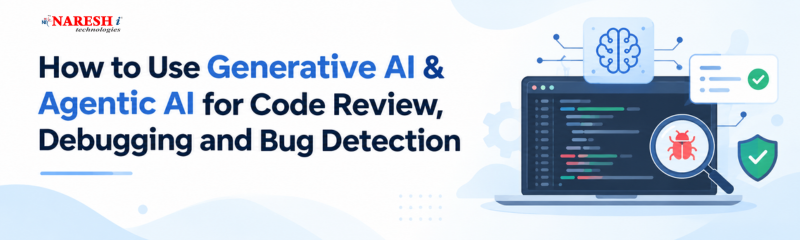
Teams are now turning to Generative AI and Agentic AI to detect coding errors, analyze issues, and make debugging easier.Coding agents also open pull requests faster than people can read them, so review has become a bottleneck. This guide covers what these tools do well, where they fail, and how to use them safely.
Generative AI for code review means a model reads code you give it and writes comments, explanations or fixes. You paste a diff, and it answers.
Agentic AI for software development adds action. The tool plans steps, uses tools such as a test runner or repository search, checks the results and decides what to do next. A generative assistant can say “this looks wrong.” An agent can reproduce the failure, change the code, re-run the tests and open a pull request explaining what it found.
Most AI-powered code review tools run when a pull request opens. They read the diff, sometimes the surrounding repository, and post inline comments on logic errors, missed edge cases, security patterns and style. GitHub Copilot’s review feature, Claude Code, CodeRabbit, Greptile and Qodo are examples, and several use multiple cooperating agents for bugs, security and test coverage.
Two cautions apply. Bug detection accuracy depends on the programming language, project complexity, and type of error. Since many reported results come from tool providers, evaluate each tool using bugs from your own projects before relying on it. Some products also bill by usage, so check the cost per review before switching it on for every pull request.
Generative AI debugging tools work best when given evidence. Suppose tags from one request appear in the next:
python
def add_tag(tag, tags=[]):
    tags.append(tag)
    return tags

print(add_tag("a"))   # ['a']
print(add_tag("b"))   # ['a', 'b']  <- expected ['b']
“My function is buggy” is a weak prompt. A strong one includes the code, the actual output, the expected output and the Python version. With that, a good assistant will explain that Python creates the default list once, when the function is defined, so every call shares it. The fix is a None default and a fresh list inside the function.
Then comes the habit that matters: ask for a test that fails before the fix and passes after it, and run it yourself.
Agentic AI coding tools tend to follow one loop. They read a failing test or error report, search the codebase for relevant files, form a hypothesis, make a change and run the tests, then repeat or stop. Some write a reproducing test first, which is the most dependable place to start.
This makes AI bug detection more than pattern matching on a diff, since an agent can follow a call across files and check its theory by running code. It also adds risk. An agent that edits and executes code needs clear limits on which files it can touch, which commands it can run, and when it must ask for approval.

Today’s AI reviewers handle surface issues well: style, simple bugs, missing documentation and well-known insecure patterns. They are weaker on business logic, authorization flows, race conditions and anything that depends on requirements nobody wrote down. The Friday bug from the introduction is exactly this kind.
There is a human risk too. A tool that always posts comments can make reviewers feel the code has already been checked. Treat AI review as a first pass, and keep a person who understands the intent of the change responsible for the decision.
|
Task |
Where AI helps |
What a human decides |
|
Style and simple bugs |
Fast first pass on every pull request |
Which conventions matter here |
|
Edge cases and tests |
Suggests cases, drafts tests |
Whether tests match real requirements |
|
Security patterns |
Flags known risky constructs |
Threat model and authorization design |
|
Debugging |
Forms hypotheses from logs and traces |
Whether the fix suits the wider system |
|
Agent-written changes |
Drafts changes on a branch |
Architecture and approval to merge |
A few rules keep this workflow safe:
No, because AI handles first-pass checks while humans still judge logic, architecture and intent.
Generative AI comments on code you provide, while agentic AI plans steps, runs tests, edits code and can open pull requests.
It can contain subtle errors in edge cases and error handling, so it needs the same testing and review as human code.
Only after you check the tool’s data-handling terms and your company’s policy.
Replay past bugs through it and measure what it catches, what it misses and how much noise it adds.

Generative AI & Agentic AI speed up the repetitive parts of review and debugging, but they work best when a person still owns the decision to merge. For your next step, take one real bug from your project’s history, give an AI tool the failing evidence, and compare its diagnosis with the actual fix.
Would you let an agent merge its own fixes once tests pass, or require human approval on every pull request, and why?
Follow NareshIT for more practical insights on technology, skills, and career development.
 +91 8179191999

 +91
8179191999
+91
8179191999


.png)