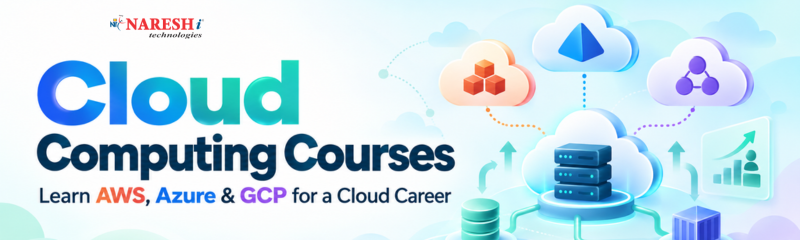
A student can learn programming, databases, and web development and still feel unsure about what happens after an application is ready. Where does the application run? Where are the files stored? How does a company handle thousands of users without buying a separate server for every application?
These questions usually lead learners to cloud computing.
The confusing part comes next. Search for Cloud Computing Courses and you quickly encounter AWS, Microsoft Azure, Google Cloud, virtual machines, containers, storage, networking, DevOps, certifications, and dozens of other terms. A beginner can easily start collecting course names without understanding what actually needs to be learned.
A better starting point is to understand the common ideas behind cloud platforms and then see how AWS, Azure, and Google Cloud implement them differently. Microsoft's introductory cloud material, for example, covers deployment models, consumption-based pricing, and the shared-responsibility model as foundational cloud concepts.
Imagine you have built a small web application on your laptop. It works perfectly when you run it locally.
Now suppose 500 people need to access it.
Your laptop is not suddenly going to become a production server. You need computing resources, storage, networking, security controls, monitoring, and a way to make the application available over the internet.
Cloud computing provides access to these resources through cloud providers instead of requiring you to own and maintain all the physical infrastructure yourself.
A cloud platform can provide a virtual machine, for example, where an application can run. It can provide object storage for files, managed databases for application data, networking services to connect components, and tools for monitoring and security.
One important idea for beginners is that cloud computing is not simply "storing things online." Storage is only one part of it.
You can think of a cloud environment as a collection of computing services that you can provision and manage according to what your application needs.
Cloud platforms also commonly follow a consumption-based approach. Instead of purchasing a physical server upfront, you can provision resources and pay according to the service and usage model involved. The exact pricing rules vary by provider and service, so understanding the architecture should come before trying to memorize prices.
Cloud knowledge becomes much easier to understand when you connect it to software you already know.
Suppose you are a Java developer building a Spring Boot application. The application needs a database and must be accessible to users. Learning cloud computing shows you how that application can move from your development machine into an environment where other people can actually use it.
A Python developer can approach the same problem with a Django or FastAPI application.
A frontend developer may need to understand where the backend lives, how APIs are exposed, and where application files are stored.
This is why Cloud Computing for Beginners should not start with memorizing hundreds of services. Start with the relationship between an application and the infrastructure it needs.
The foundational topics worth understanding include:
Once those ideas make sense, the large service catalogs of AWS, Azure, and GCP become much easier to navigate.
AWS, Microsoft Azure, and Google Cloud Platform (GCP) solve many of the same broad infrastructure problems, although their service names, interfaces, pricing structures, and implementation details differ.
For a beginner, comparing individual service names can become unnecessarily confusing. It is more useful to first compare the categories.
|
Cloud requirement |
AWS |
Azure |
GCP |
|
Virtual computing |
Amazon EC2 |
Azure Virtual Machines |
Google Compute Engine |
|
Object storage |
Amazon S3 |
Azure Blob Storage |
Google Cloud Storage |
|
Managed relational databases |
Amazon RDS |
Azure SQL Database |
Cloud SQL |
|
Kubernetes |
Amazon EKS |
Azure Kubernetes Service |
Google Kubernetes Engine |
|
Serverless functions |
AWS Lambda |
Azure Functions |
Cloud Run / Cloud Functions |
The table is only a starting point. These services are not identical products, and choosing one should depend on the application's requirements rather than the name appearing most often in a course brochure.
AWS has a large collection of cloud services covering compute, storage, databases, networking, security, analytics, containers, serverless applications, and many other areas.
For a student, AWS can be a useful platform for building projects because a single application can expose you to several cloud concepts at once.
For example, you might deploy an application on a compute service, store uploaded files in object storage, connect it to a managed database, and configure access permissions.
Azure is Microsoft's cloud platform and has a broad range of services for application development, infrastructure, databases, identity, analytics, and enterprise environments.
Students who already work with technologies such as .NET, Microsoft SQL Server, or other Microsoft development tools may encounter Azure naturally in their learning or workplace environment.
Google Cloud provides services for computing, storage, databases, containers, data processing, machine learning, and application deployment.
It is also closely associated with Google's broader work in data and AI technologies, although a learner should not choose a cloud platform based on AI alone.
The important lesson is that AWS Azure and GCP are platforms, not three completely different definitions of cloud computing. The underlying concepts overlap considerably.
A useful Cloud Computing Course should gradually move from infrastructure concepts to actual implementation.
Before opening a cloud console, understand terms such as region, availability zone, virtual machine, storage, database, IP address, load balancing, and identity.
Cloud providers organize resources geographically. Understanding why applications may be deployed across regions and how availability is handled is more useful than memorizing provider-specific menus.
Start by launching a small virtual machine or using an equivalent managed compute service.
Then work with object storage.
For example, build a small application where users upload profile images. Your application server handles the request, while the actual image files are stored in object storage.
That simple exercise teaches an important architectural idea: application code and application files do not necessarily have to live in the same place.
Networking becomes important as soon as your project has more than one component.
You should understand concepts such as virtual networks, subnets, ports, firewalls, public and private access, and DNS.
Identity and access management deserves similar attention. A cloud account should not give every user or application unrestricted access to every resource.
Cloud security also follows a shared-responsibility model: the provider and customer have different security responsibilities depending on the service being used.
After compute and storage, connect a managed database.
Then monitor the application.
If your application becomes slow, you should have some way to determine whether the problem is CPU usage, memory, database performance, network latency, or something else.
That is where cloud learning starts to resemble real development work rather than a collection of console demonstrations.
Consider a simple student course registration application.
The application could have:
You could first build the application locally.
Once the local version works, move the backend to a cloud compute service. Put uploaded documents into object storage. Move the database to a managed database service. Configure network access and permissions.
Now you have a project that teaches several cloud concepts through one application.
The interesting part is what happens when something goes wrong.
What if the database cannot be reached?
What if the application receives more traffic?
What if a developer accidentally gives a storage bucket public access?
These are the questions that turn cloud training into practical engineering knowledge.
Cloud is easier to learn if you already understand some basic software concepts.
You do not need to be an expert developer, but familiarity with programming, databases, HTTP, Linux, and networking will make the learning process much smoother.
|
Skill |
Why it matters in cloud work |
|
Linux |
Many cloud workloads run on Linux-based systems |
|
Networking |
Applications depend on connectivity, ports, DNS and routing |
|
Git |
Used to manage source code and collaborate |
|
SQL |
Useful when working with application databases |
|
Programming |
Helps you understand and deploy real applications |
|
Docker |
Useful for packaging applications consistently |
|
CI/CD |
Helps automate building, testing and deployment |
|
Security basics |
Prevents careless access and configuration mistakes |
You do not need to master all of these before starting Cloud Computing Training. Learn them alongside your cloud projects.
For example, if Linux is unfamiliar, spend a few sessions learning commands, files, permissions, processes, and SSH. Then use those skills while working with a cloud virtual machine.
That connection makes the learning stick.
Students often ask, "Which one should I learn first?"
There is no technical rule that makes one platform the correct starting point for everyone.
A better question is: Which platform fits the environment and direction I am interested in?
If a course or project requires AWS, start with AWS.
If your learning path is centered around Microsoft's ecosystem, Azure may be a natural choice.
If your interests involve Google Cloud technologies, data platforms, containers, or related services, GCP may be the platform you encounter first.
The important thing is to learn one platform deeply enough to understand how cloud systems work.
Once you understand concepts such as compute, storage, networking, identity, databases, monitoring, and deployment, moving to another provider becomes less intimidating.
The service names change. The underlying engineering questions often remain similar.
One common mistake is trying to learn every service offered by a cloud provider.
You do not need to know hundreds of services to deploy a useful application.
Another problem is following tutorials without changing anything. A learner can successfully reproduce a tutorial and still have no idea why a particular network setting or permission was required.
After completing a tutorial, change something.
Use your own application. Change the database. Add authentication. Move a component. Break a configuration and troubleshoot it.
Cost is another area students should take seriously. Cloud platforms provide powerful resources, but "cloud" does not mean "free." Before creating resources, understand the pricing model and remove resources you no longer need. Cloud fundamentals commonly include consumption-based models and pricing considerations for this reason.
Finally, do not treat certification as a substitute for practical work. A certification can demonstrate knowledge of a platform, but a working project gives you something concrete to discuss during technical interviews.
For someone starting Cloud Computing Courses for Beginners, the learning sequence can be fairly straightforward.
Start with general cloud concepts rather than immediately memorizing AWS, Azure, or GCP service names.
Then choose one platform and learn its core services:
Compute → Storage → Networking → Identity → Database → Monitoring → Deployment
Build a small application while learning each area.
After that, add Docker and basic CI/CD. You can then explore infrastructure automation and more advanced topics such as Kubernetes.
Once you have worked with one cloud provider, spend some time mapping equivalent services on the other two platforms. This is where an AWS Azure and GCP comparison becomes genuinely useful.
For career preparation, keep your project work visible. Be able to explain why you selected a particular service, how the application is secured, how data is stored, what happens when a component fails, and how you would control cloud costs.
Those conversations reveal much more about your understanding than simply listing cloud service names on a resume.
Learning cloud computing is less about memorizing a provider's service catalog and more about understanding how an application runs outside your local machine.
Start with the fundamentals, choose one of AWS, Azure, or GCP, and build something small enough to understand completely. Then add networking, security, databases, monitoring, containers, and automation as your projects become more demanding.

For students and freshers, that approach also makes Cloud Computing Courses more useful from a career perspective because you are building practical understanding alongside theoretical knowledge.
If you were starting your cloud journey today, would you begin with AWS, Azure, or GCP and what type of project would you build first?
Follow NareshIT for more practical insights on technology, skills, and career development.
1. Which cloud platform should a beginner learn first?
Start with one platform rather than trying to learn AWS, Azure, and GCP simultaneously. Choose based on your career direction, existing technical background, course requirements, or the technologies used in the projects you want to build.
2. Are Cloud Computing Courses suitable for students with no cloud experience?
Yes. A beginner can start with basic cloud concepts and gradually move into compute, storage, networking, databases, security, and deployment. Basic programming and networking knowledge can make the process easier.
3. Should I learn AWS, Azure, and GCP together?
It is usually easier to learn one platform first. Once you understand the underlying cloud concepts, comparing the equivalent services in AWS, Azure, and GCP becomes much simpler.
4. Do I need programming knowledge to learn cloud computing?
Not for every cloud role, but programming knowledge is valuable for developers, DevOps engineers, cloud engineers, and automation-focused roles. Even basic knowledge of Python, Java, or another programming language can help with practical projects.
5. What projects can I build while learning cloud computing?
Start with something you can actually finish, such as a web application with a managed database, file storage, authentication, and monitoring. Then deploy it to your chosen cloud platform and document the architecture and decisions you made.
 +91 8179191999

 +91
8179191999
+91
8179191999


.jpg)
_at_Naresh_IT.png)