A retail company collects sales information from hundreds of stores. Its website records online orders, the finance team uses SQL databases, and customer information sits in a separate cloud application.
Every morning, the reporting team needs all this information in one place. Downloading files, correcting formats, and combining records manually would take hours.
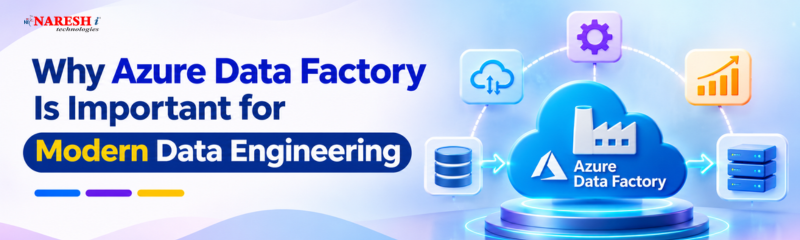
What Is Azure Data Factory? Azure Data Factory (ADF) is Microsoft's cloud-based data integration service that automates data movement and coordinates processing across different systems. It helps data engineers build, schedule, and monitor workflows instead of repeatedly handling data transfers themselves.
For businesses managing information across databases, applications, and cloud platforms, this makes ADF an important part of modern data engineering.
Imagine a company storing customer information in SQL Server, transaction records in Azure Blob Storage, and application logs in another cloud system.
The data is available, but it isn't organized for analysis.
Someone needs to retrieve it, move it to the right destination, and prepare it for reporting.
Azure Data Factory handles the coordination of these tasks through automated workflows.
It supports two common data processing approaches:
ADF can also coordinate processing performed by services such as Azure Databricks and Azure SQL Database.
The goal is to make data available when applications, analysts, and business teams need it.

Suppose an online store wants to create a daily sales report.
The sales records are stored in a database, while product information is maintained separately.
A data engineer can use ADF to connect to the sources, copy the necessary records, and trigger further processing.
A simplified workflow looks like this:
Source Database → Azure Data Factory → Data Storage → Data Processing → Reporting
ADF uses connectors to communicate with supported data systems. Activities define the actions to perform, while pipelines organize those activities into a workflow.
The pipeline can run according to a schedule or an appropriate event trigger.
If a task fails, engineers can inspect execution details and investigate the problem rather than checking every transfer manually.
Understanding Azure Data Factory Architecture begins with six important components.
|
Component |
What It Does |
|
Pipeline |
Groups activities into a workflow |
|
Activity |
Performs an operation such as copying data |
|
Linked Service |
Defines a connection to a data store or computing service |
|
Dataset |
Describes the data used by an activity |
|
Integration Runtime |
Provides the infrastructure needed to move data or execute supported operations |
|
Data Flow |
Defines visual data transformation logic |
These Azure Data Factory Components work together, but they serve different purposes.
For example, a linked service contains connection information, while a dataset identifies the particular table or file an activity needs.
Integration Runtime is especially important when connecting systems across different network environments.
Azure Integration Runtime supports cloud-based operations, while Self-hosted Integration Runtime can connect to systems inside private networks or on-premises environments.
One of the biggest challenges in Azure Data Factory in Modern Data Engineering is managing data from different sources without creating a separate manual process for each one.
Consider a reporting system that must receive fresh sales records every night.
If the transfer depends on someone downloading files, delays and mistakes become more likely.
ADF can schedule the workflow and provide information about its execution.
It also supports incremental loading approaches, where engineers process records that have changed rather than copying an entire dataset every time.
Another useful capability is integration with existing Azure services.
A pipeline might copy files into Azure Data Lake Storage and then trigger a Databricks notebook to process them.
ADF coordinates these operations, while the connected services perform their specialized work.
Let's take a practical example from an online shopping application.
The business wants a daily dashboard showing total orders, product sales, and customer returns.
The application stores orders in Azure SQL Database, and the analytics team uses Azure Data Lake Storage for reporting data.
A data engineer could create an Azure Data Factory Pipeline using the following steps:
Suppose a new column is introduced in the source database.
The engineer must check whether the dataset, column mappings, and transformation logic can handle the change.
This is why building a working pipeline involves more than dragging activities onto a design canvas.
Good data engineering also requires validation, troubleshooting, and understanding how source systems change.
ADF and Azure Databricks are often used together, but they have different responsibilities.
|
Azure Data Factory |
Azure Databricks |
|
Focuses on data integration and orchestration |
Focuses on data processing and analytics |
|
Organizes activities into pipelines |
Runs data processing workloads using technologies such as Apache Spark |
|
Supports data movement between systems |
Supports large-scale transformations and machine learning |
|
Offers visual pipeline development |
Offers notebook-based development and other workflows |
ADF is useful for coordinating when and where data moves.
Databricks is useful when teams need more extensive processing, custom transformations, or analytical workloads.
ADF can also perform transformations using Mapping Data Flows, so the distinction isn't absolute.
Although ADF reduces manual work, pipeline design still requires care.
An incorrectly configured pipeline might copy duplicate records, process incomplete files, or expose sensitive information through poorly managed permissions.
Engineers should pay attention to data validation, access controls, monitoring, and retry behaviour.
Costs also matter. Pipeline activities, data movement, and transformation compute can create charges depending on usage.
As of 2026, Microsoft also positions Data Factory in Microsoft Fabric as the next generation of Azure Data Factory. Teams planning new integrations should compare both services according to their existing infrastructure, workloads, and long-term requirements.
Students interested in Azure data engineering should begin with SQL fundamentals and basic database concepts.
Next, learn Azure storage services and how data moves between source and destination systems.
A practical learning roadmap is:
A small project transferring records from a database to cloud storage can provide a useful starting point.
Once that works, explore transformations, security, and integration with services such as Azure Databricks.
For aspiring data engineers, being able to explain a pipeline's design and troubleshoot failures is an important practical skill.
Azure Data Factory supports both ETL and ELT workflows. It can coordinate data movement and transformations using its own capabilities or connected processing services.
No, basic ADF pipelines can be created using a visual interface. Knowledge of SQL, expressions, and scripting is useful for more advanced workflows.
Integration Runtime provides the infrastructure needed for data movement and supported processing activities. Different runtime configurations support cloud and private-network scenarios.
Yes. ADF can connect to supported on-premises data sources using a properly configured Self-hosted Integration Runtime.
Yes, ADF remains relevant for organizations using Azure data integration workflows. Learners should also explore Microsoft Fabric Data Factory because Microsoft's data integration platform continues to evolve.

Modern data engineering isn't just about storing large amounts of information. Data must move between systems, arrive at the right time, and remain reliable enough for analysis.
Azure Data Factory provides a practical way to coordinate those processes.
If you're starting out, build a small pipeline that moves data between two systems. Understanding how that workflow behaves when something fails is one of the most useful lessons you can learn.
Discussion Question: If you were building your first cloud data engineering project, would you start with Azure Data Factory, Azure Databricks, or Microsoft Fabric and why?
Follow NareshIT for more practical insights on technology, skills, and career development.
 +91 8179191999

 +91
8179191999